Pricing agents check every SKU and every customer. Each change they find comes with the reason written out. You approve the ones you agree with, and the new prices go back into your ERP.
Get a demoWe'll show you Hawkeye on your own invoices.
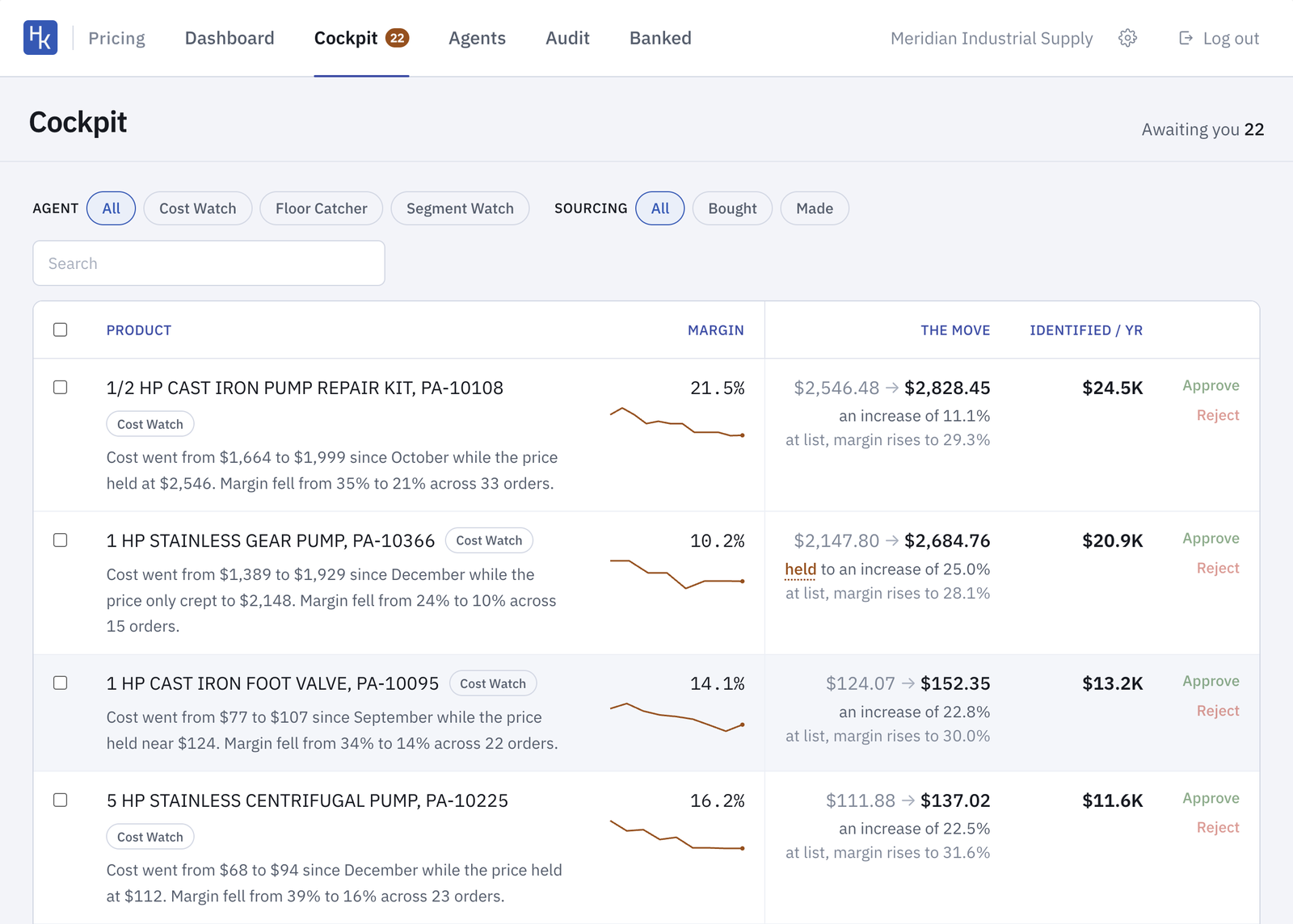
The Cockpit is the list of changes waiting on you. Each one says what happened, like a cost that went from $1,664 to $1,999 while the price sat at $2,546. It shows the new price, the margin at that price, and what the change is worth in a year.
Approve or reject, one at a time or in a batch.
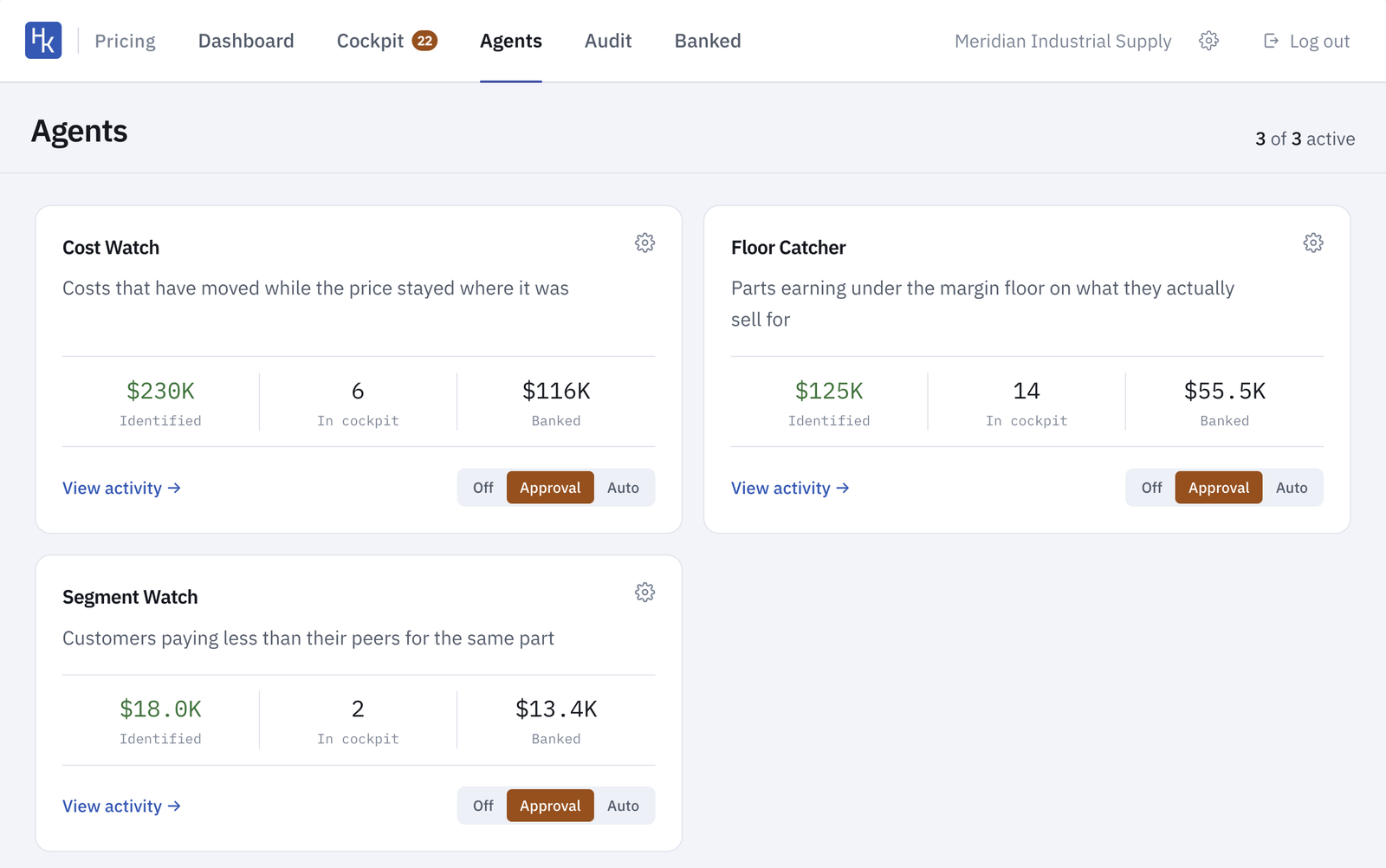
Every company prices differently, so we set up the agents for each customer. Each one watches one thing.
Each agent runs Off, on Approval, where every change waits for you, or on Auto, where it changes prices inside the limits you set. Start on Approval and switch to Auto once you trust it.
You set the floors and caps. Contracts and special pricing agreements can be marked off-limits.
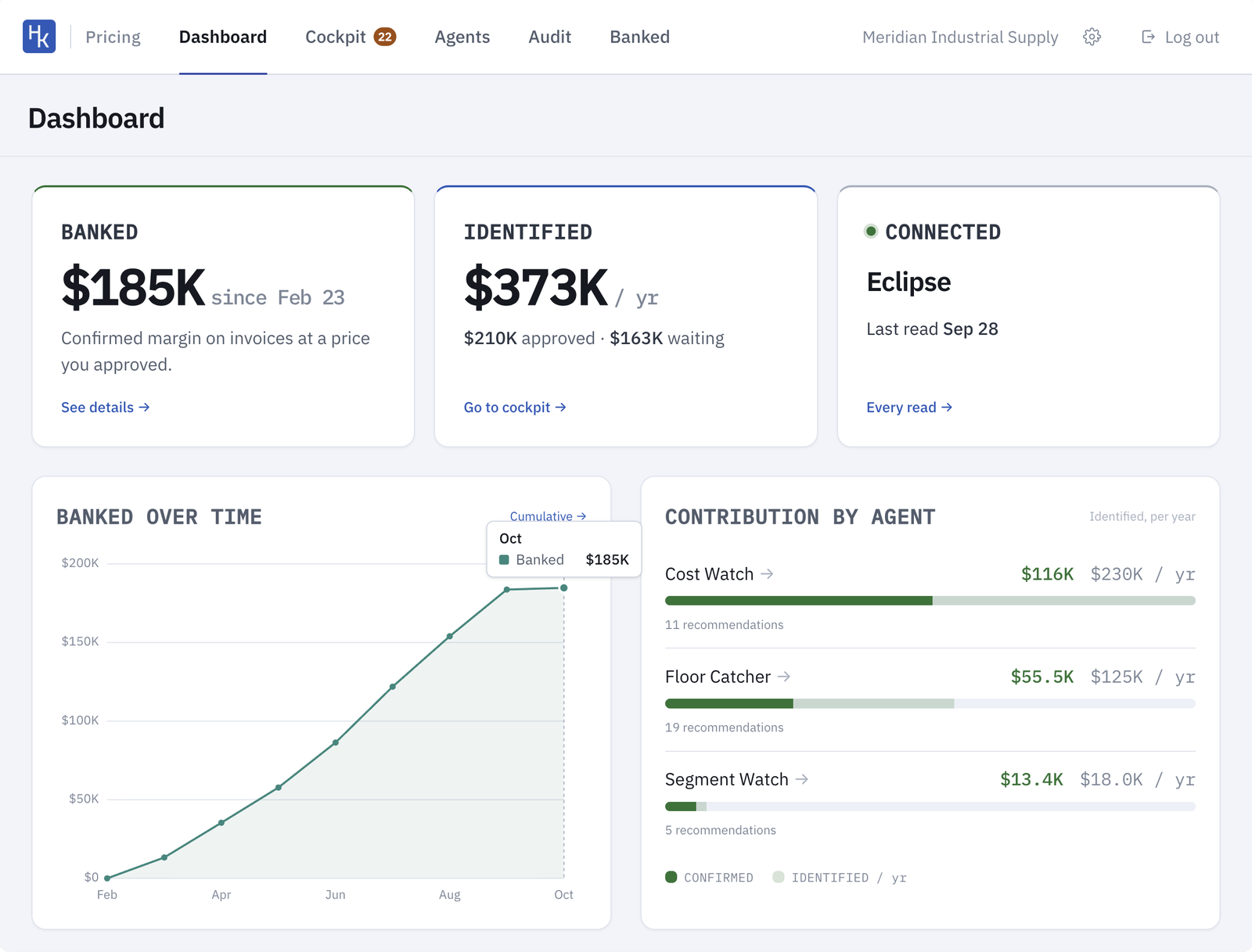
Identified is what the agents have found, per year. Banked is margin that has shown up on real invoices at a price you approved.
Hawkeye starts read-only. It pulls your price books, invoices and orders and builds a baseline for every product. It writes prices back only after you sign off on the guardrails.
We run Hawkeye on a year of your invoices and walk you through the top price changes. You pay a one-time setup, then a share of the extra margin that shows up on your invoices.
Get a demo